
26 published articles

Website
Quick Answer: A B2B website audit is a review of whether your site helps buyers and AI assistants understand what you sell, and whether it moves qualified visitors towards a demo. Check technical health, conversion friction, content coverage, entity clarity, and AI citation readiness together, then rank each finding by its effect on qualified pipeline rather than a tool's severity score.
Your organic traffic line looks healthy in the monthly report, yet your sales team keeps saying the website mostly sends them students and job seekers. Somewhere in a shared drive sits a crawler export with hundreds of warnings that nobody has had time to sort.
If you lead marketing or growth at a B2B SaaS company, this is a familiar spot. The website is your main inbound channel, more buyers now shortlist vendors inside AI assistants before they visit, and ownership of the site is split across teams.
A useful website audit has to judge which problems cost you pipeline, which is hard to do from inside the team that built the site. Most tools grade only what they can measure, so a missing image description can outrank a demo form with a dozen fields.
Key Takeaways
A crawl report ranks issues by technical severity, so a B2B audit needs a second sort that asks how close each affected page sits to revenue.
Conversion friction on pricing and demo pages can cost more pipeline than a few lost ranking positions, because buyers on those pages are already evaluating vendors.
Content coverage means answering the questions buyers raise before a sales call, including comparisons and integrations, rather than publishing more early-stage blog posts.
AI assistants describe your company using your site and third-party profiles, so conflicting descriptions on LinkedIn or review sites make your category harder to read.
Fix confirmed problems on high-intent pages first, and move tool warnings you cannot reproduce on the live site to a watch list instead of the sprint.
What Should a B2B Website Audit Cover?
A B2B website audit should cover technical health, conversion friction, content coverage, entity clarity, and AI citation readiness in a single review. Reviewing them together matters because one page often fails in more than one way. Our plain-English audit definition covers the basics if you need them.
Why a Generic Site Audit Misses Revenue Problems
Most site audit tools crawl every URL and score what they find against a fixed rule set. That catches broken links and redirect chains, but the tool cannot read your demo form as a buyer would or see how AI assistants describe you.
Tools also report each issue in isolation. An unindexed comparison page and an assistant quoting last year's pricing can share one root cause, such as a rushed migration, but a checklist will not connect them.
The 5 Areas to Review in One Pass
Use this table as a working map. Each row names the evidence to pull and an example of a finding that deserves a place on your fix list:
Area | What you are checking | Where to look | A finding worth fixing |
|---|---|---|---|
Technical health | Revenue pages can be crawled, indexed, and load quickly | Search Console page indexing report, a site crawler | Pricing or integration pages reported as not indexed |
Conversion friction | Buyers can move from a high-intent page to a demo | Analytics path from landing page to form submission | A demo form many visitors start but few finish |
Content coverage | Pages exist for the questions buyers ask before a call | Sales call notes, Search Console queries | No page explaining how you compare with the vendor you lose to most |
Entity clarity | Your company is described the same way everywhere | Homepage, About page, company profiles | Different category labels on your own profiles |
AI citation readiness | Assistants can reach your pages and describe you correctly | Robots.txt rules, a set of buyer prompts | Competitors named for your category prompts while you are absent |
How Do You Check Technical Health Without Drowning in Warnings?
Start from the pages that carry revenue and work outward, rather than starting from the tool's issue count. For most B2B SaaS sites, that list is the homepage, pricing, product and solution pages, integration pages, comparison pages, and the demo or contact page.
Confirm Your Revenue Pages Are Indexed
Open the page indexing report in Google Search Console and filter for the URLs on your list. A page marked as crawled but not indexed, or carrying a noindex tag left over from staging, cannot appear in organic results. Use the URL Inspection tool to see the version Google last fetched.
Look for Problems a Buyer Would Notice
Load each revenue page on a phone over a mobile connection and note anything that delays the main content or pushes the demo button below a cookie banner. The Core Web Vitals report in Search Console then gives you field data for the same URLs, which reflects real visitors rather than a single lab test.
Check AI Crawler Access Separately
Your robots.txt file can welcome traditional search crawlers and still block the ones AI platforms rely on. OpenAI, for example, documents separate crawlers for search and for model training, and sites that opt out of its search crawler will not be shown in ChatGPT search answers.
Open yourdomain.com/robots.txt and confirm that every search crawler you want is allowed before you decide your stance on training crawlers. Our technical AEO checklist covers the remaining infrastructure checks.
Where Do Buyers Drop Off Between the Click and the Demo?
Buyers usually drop off at the point where a page stops answering their next question. The audit should find those points on pages that already get qualified traffic, before you spend more attracting visits.
Walk the Path From Search Result to Booked Call
Pick 3 high-intent entry pages from your analytics, such as pricing or a comparison page, and click through each to a submitted demo request as a first-time visitor would. At every step, note what the buyer needs to know next and whether the page says it.
A strong page states who the product is for and what it replaces within the first screen. A weak one opens with a slogan any vendor could use.
Read the Demo Form Like a Prospect
Count the required fields and ask your sales team which ones they use on the first call. If your analytics records form starts as well as submissions, compare the two to see how many buyers begin the form and leave.
Then check what happens after submission. A booking calendar on the confirmation page lets the buyer pick a time while their intent is high, whereas a generic thank-you message leaves them waiting for an email.
Measure Pipeline Instead of Form Fills
A form submission is not an opportunity. Ask your CRM owner whether website-sourced deals are tagged by landing page, and fix that tracking before judging any conversion change. Our conversion optimisation work focuses on this layer, because a page producing fewer but better-qualified demos can be the stronger page.
Does Your Content Answer the Questions Buyers Ask Before a Demo?
Content coverage is about whether your site answers the questions a buying committee asks while it builds a shortlist, not how many posts you publish. Those questions usually concern fit, competitor comparisons, integrations, security, and implementation effort.
Map Pages to the Questions Sales Hears
Ask sales for the 10 questions prospects raise most often on first calls, then search your site for a page that answers each one directly. In Search Console, export your queries and look for long, specific questions landing on pages that mention the topic only in passing.
A good result is a dedicated page or section for each recurring question. A gap is a question sales answers every week that your site never addresses.
Find Pages Competing for the Same Search
Two posts aimed at the same topic can split your signals and leave search engines unsure which to show. In the Search Console performance report, look for queries where 2 or more of your URLs trade impressions. Merging them, or giving each a different job, is often less work than writing something new.
Would an AI Assistant Describe Your Company Correctly?
Entity clarity is whether your company and products are described consistently enough for search systems and AI assistants to tell exactly who you are. Mixed descriptions make it harder for an assistant to place you in the right category or recommend you for the right use case.
Compare Your One-Line Description Everywhere It Appears
Copy the line describing what your company does from each of your main pages into one document. Add the equivalent text from your LinkedIn company page and your Crunchbase profile, then from review sites where buyers compare vendors in your category.
If one source calls you a "revenue intelligence platform" and another calls you a "call recording tool", a buyer and an assistant could reasonably file you in two different categories. Our glossary entry on entity SEO explains why consistent naming helps.
Test the Prompts That Name You
Ask 2 AI assistants what your company does and who it is for, starting a fresh session each time. Record whether the answer matches your positioning and note any outdated features or pricing it mentions. Then list the sources it links, because wrong answers often trace back to an old page or profile you still control and can correct.
Is Your Site Ready to Be Cited in AI Answers?
AI citation readiness covers eligibility, meaning whether your pages can appear in AI answers at all, and presence, meaning whether you appear for the non-branded questions buyers ask before they know your name. Check eligibility first, because no amount of prompt work helps a page that assistants cannot reach.
Confirm Eligibility for Google's AI Features
Google's official generative AI guidance says a page must be indexed and eligible to show with a snippet before it can appear in features such as AI Overviews and AI Mode. That makes a stray nosnippet or noindex directive on a key page a direct blocker. The Generative AI performance report in Search Console, which the same guidance recommends, shows how your content performs in those features.
Run the Questions Your Buyers Ask
Take the questions from your sales list and rewrite them as prompts a buyer who has never heard of you would type, such as "How do I audit a B2B SaaS website for SEO, conversions, and AI search visibility?". Run each one in the assistants your buyers use and record whether you are named and, if you are not, which competitors and pages are cited instead.
Repeat the same prompt set on a schedule so changes reflect your work rather than new questions. Our [AI search audit checklist]([LINK: AI Search Audit checklist post]) covers this step in more depth.
How Should You Prioritise What the Audit Finds?
Prioritise each finding by how close it sits to revenue and whether you have confirmed it on the live site, then check what else has to happen before it can be fixed. Working this way stops a long issue list from turning into months of low-value tickets.
Sort by Distance From Revenue
A problem on your pricing page or demo flow outranks the same problem on an old blog post, because buyers on those pages are already evaluating you. Tag each finding with its page type and sort so high-intent pages rise to the top.
Verify Before You Schedule the Fix
Treat tool warnings as leads to follow rather than conclusions. Open the live page and reproduce the problem, then save the evidence, such as a screenshot of the indexing status or the analytics view showing form drop-off. Anything you cannot reproduce goes on a watch list instead of into the sprint.
Group Fixes by Owner and Dependency
Some fixes only pay off once another is done. Rewriting an unindexed comparison page wastes effort, and so does redesigning a demo flow before pipeline tracking works. Give each group to the person who can ship it, so the audit becomes scheduled work rather than a slide.
Get a Pipeline-Focused Audit From Windgrove
We run audits for B2B SaaS and technology companies that want search and AI visibility to turn into qualified inbound. The quickest place to start is our free AI visibility audit, which tests how your brand appears across the major AI assistants and shows where competitors are named instead of you.
What the Free Audit Covers and Where It Stops
The free audit focuses on AI visibility, competitive gaps, buyer queries, and priority opportunities. It does not review your demo path or conversion tracking, so use it alongside the checks above rather than in place of them.
How the Full Audit Works Inside a Retainer
Every Windgrove retainer includes Audit, Strategy & Opportunity Mapping, followed by the technical fixes it identifies. We carry out the implementation, while your team agrees priorities with us and grants the access we need.
Claim Your Ground is $1,995 per month. Conversion funnel and attribution tracking, plus landing page and booking optimisation, are included from the Hunt the Leaders tier at $6,495 per month, so tell us early if conversion is your priority. The free audit form asks why you are exploring AI search now, and a specific answer gives us a sharper place to start.
Frequently Asked Questions (FAQs)
How Often Should a B2B SaaS Website Be Audited?
It depends on how often your site and positioning change. We recommend a full audit before and after a redesign or platform migration, since both commonly affect indexing and messaging. Between full audits, a monthly check of your revenue pages and tracked AI prompts catches new problems early.
What Is the Difference Between a Site Audit and an SEO Audit?
An SEO audit asks whether search engines can index and rank your pages. A B2B site audit is broader. We also review whether visitors convert and how AI assistants describe your company, then rank every finding by its effect on pipeline rather than its technical severity.
Can We Audit Our Own Website?
Yes. Search Console, a site crawler, your analytics, and a set of buyer prompts cover most of the checks here. Teams usually stall at prioritisation and implementation, especially when fixes span development and sales operations, which is why our retainers include both the audit and the fixes.
How Long Does a Website Audit Take?
It depends on your site's size and how quickly you can grant access. Our free AI visibility audit arrives as a custom report within 24 hours. Inside a retainer, the first month is foundation work, auditing your site and resolving technical blockers before new content goes live.
What Access Does a Website Auditor Need?
For a full audit, we ask for access to your CMS and analytics, including Search Console, so we can confirm issues on live data. A read-only view of how your CRM tags website-sourced opportunities also helps, because it lets us judge pages by pipeline rather than form fills.
Will Fixing Audit Findings Get Us Cited by AI Assistants?
Fixes make citation possible by removing what stops assistants from reaching or describing you correctly, but no one controls which sources an assistant chooses. That is why we track the same buyer prompts over time, so you can see whether visibility is moving and which pages earn citations.

AEO
An AI search audit is a structured review of whether ChatGPT, Gemini, Claude, Perplexity, and other artificial intelligence (AI) assistants can reach a website, read it, describe the company behind it correctly, and cite it in their answers.
The method runs 9 checks in order (crawl access, AI crawler permissions, sitemap quality, structured data, entity signals, answer-first formatting, on-page evidence, third-party citations, and measurement), scores each one 0, 1, or 2, and fixes the lowest scores first.
The audit applies anywhere an assistant composes the answer itself, including Google Search's AI Overviews and AI Mode, OpenAI's ChatGPT search, Anthropic's Claude, Perplexity, and Microsoft Copilot.
They reach your pages through crawlers such as Googlebot, OAI-SearchBot, Claude-SearchBot, and PerplexityBot, and the picture they form of you can draw on your site, schema.org markup, LinkedIn, and review directories.
A site can rank well on Google while a firewall rule or an outdated profile keeps it out of the answers that business-to-business (B2B) buyers read before shortlisting vendors.
In this article you'll learn what an AI search audit is and how it differs from a classic SEO audit, the 9 checks that cover access, how to score each one, and what to fix first so the rest of your work actually shows up in AI-generated answers.
Key Takeaways
An artificial intelligence (AI) search audit checks 9 things in a fixed order, starting with crawler access, because a page an assistant can't fetch can't be cited however strong its content is.
OpenAI documents separate crawlers for model training (GPTBot) and ChatGPT search (OAI-SearchBot) and treats each robots.txt setting as independent, so opting out of training can leave search access intact.
Google sets 2 conditions for a page to be linked as a source in AI Overviews or AI Mode, being indexed and being eligible for a snippet, and says no special schema.org markup or AI text file is needed.
Google ignores the priority and changefreq values in an Extensible Markup Language (XML) sitemap and trusts lastmod only when it is consistently accurate, so sitemap quality comes down to clean uniform resource locators (URLs) and honest dates.
Structured data should be audited for accuracy rather than volume, because Google asks that every marked-up value match the visible text on the page.
A baseline of fixed buyer prompts, recorded before any fix ships, is what lets you show afterward that the audit changed what assistants say about you.
What Is an AI Search Audit?
An AI search audit tests your site and wider web presence against the steps an assistant takes before naming a vendor: fetching pages, reading them, working out who you are, judging trust, and citing a source. Each test produces a score plus a saved piece of evidence, such as a screenshot or an exported report, so anyone can rerun it later.
Know How It Differs From an SEO Audit
A classic search engine optimization (SEO) audit asks whether Googlebot can crawl, index, and rank your pages. Some teams call the newer review a ChatGPT SEO audit or a large language model (LLM) SEO audit, but its scope reaches past your domain.
Audit question | Classic SEO audit | AI readiness audit |
|---|---|---|
Which bots get tested | Googlebot and Bingbot | Googlebot and Bingbot, plus the search crawlers run by OpenAI, Anthropic, and Perplexity |
What gets reviewed | Pages, templates, and rankings | Pages, plus the individual passages an assistant could quote |
Where findings come from | Your own domain | Your domain, LinkedIn, directories, review sites, and publications |
Typical finding | Broken links, slow templates, missing title tags | A search crawler blocked at the firewall, or 3 different company descriptions online |
What it hands back | A prioritized fix list | A scored checklist, an evidence folder, and a prompt baseline |
What Should an AI Readiness Audit Check?
It should check 9 areas that group into access, understanding, trust, and measurement. Work through them in order, because a failure near the top of the list hides every result below it.
Use the 9-Point Checklist
Treat this table as your answer engine optimization (AEO) audit checklist. Copy it into a spreadsheet, add a score column and a notes column, and fill in one row at a time.
# | Check | Test to run | Pass standard | Evidence |
|---|---|---|---|---|
1 | Crawl access | URL Inspection on 10 priority page addresses (URLs), plus bot status codes in content delivery network (CDN) or server logs | All return 200, render main text, and pass the firewall | Screenshots, log extract |
2 | AI crawler permissions | Read robots.txt for OAI-SearchBot, Claude-SearchBot, PerplexityBot, and the * wildcard | No Disallow on pages you want cited | Dated robots.txt copy |
3 | Sitemap quality | Compare the Sitemaps report with your canonical page list | Absolute canonical URLs, no redirects or 404s, honest lastmod | Report export |
4 | Structured data | Test 5 pages in the Rich Results Test or Schema Markup Validator | Valid, and every value matches the page | Validator results |
5 | Entity signals | Compare company facts across About page, LinkedIn, and directories | Matching name, category, products, and buyer | Fact grid |
6 | Answer-first formatting | Copy each section's opening into a blank document | Each opening answers its heading alone | Pass rate per page |
7 | On-page evidence | Highlight every claim on 5 commercial pages | Each claim has a number, date, source, or customer | Marked-up copies |
8 | Third-party citations | Log cited domains for 20 unbranded prompts on 4 assistants | Present on 7 or more of the top 10 cited domains | Citation log |
9 | Measurement | Confirm a fixed prompt set, an AI referral channel, and log access | All 3 exist with a dated baseline | Baseline sheet |
Score Each Check 0, 1, or 2
Give 2 for a clean pass, 1 for a partial pass such as 7 of 10 pages, and 0 for a fail or a check nobody can run yet. Order matters more than the total of 18, so clear every 0 in rows 1 to 3 before touching content, since an assistant that can't fetch a page never sees it.
How Do You Check Whether AI Crawlers Can Reach Your Site?
You test 3 layers: whether pages render for bots, whether robots.txt admits the AI search crawlers, and whether your sitemap points them at the right URLs. AI crawler optimization starts here, because access often breaks through a setting changed for another reason, such as a security rule.
Test Crawl Access Past Robots.txt
A permissive robots.txt means little if your CDN challenges unfamiliar bots or key pages only show text after JavaScript runs. Google's AI features documentation asks owners to allow crawling in robots.txt and at the CDN or host, and to keep important content available as text.
For each priority URL, open the rendered HyperText Markup Language (HTML) in URL Inspection and confirm the main copy is there. Then pull 7 days of server or CDN logs filtered by AI user agents, and use our server log method to tell verified crawlers from impostors.
Audit AI Crawler Permissions One Bot at a Time
OpenAI runs 3 agents: OAI-SearchBot surfaces sites in ChatGPT search, GPTBot collects content for model training, and ChatGPT-User fetches pages during certain user actions. OpenAI's crawler documentation treats each setting as independent and says search changes take roughly 24 hours, so blocking training alone leaves search access as it was.
Anthropic and Perplexity name their own search crawlers, Claude-SearchBot and PerplexityBot. Open yourdomain.com/robots.txt, write down every User-agent group, and flag any Disallow that reaches a page you want cited, including rules under the * wildcard that apply to every bot.
Grade Sitemap Quality Against Google's Rules
Google's sitemap guidance caps each sitemap at 50,000 URLs or 50MB uncompressed, asks for fully qualified absolute URLs, and uses lastmod only when it is consistently and verifiably accurate. Google also ignores priority and changefreq, so tuning those values buys nothing.
Compare the Sitemaps report export with your canonical page list and flag every redirect, 404, noindexed URL, and lastmod date that resets on each deploy. Confirm robots.txt carries a Sitemap line, and use our infrastructure checklist for canonical tags and internal linking.
Does Structured Data Matter for AI Search?
Structured data labels facts like your company name, authors, and publish dates for machines, but Google states that AI Overviews and AI Mode need no special schema.org markup. When you audit structured data for AI search, check accuracy rather than volume.
Match Every Marked-Up Value to the Page
Google's AI features guidance asks that structured data match the visible text on the page. Run 5 priority pages through Google's Rich Results Test or schema.org's Schema Markup Validator, then compare each value, such as price, rating, author, date, and address, with what a visitor actually sees.
Mismatches tend to appear after a price change or a rebrand, when the copy changed and the template didn't. Score the check 0 if any value contradicts the page.
How Do You Audit Entity Signals?
You list your core company facts, then check every place they appear, including assistants' answers about you. The goal is one consistent description that assistants can match to the right buyer questions.
Build a Fact Grid Across Sources
Make a grid with 6 rows (name, category, main products, target buyer, headquarters, and pricing model) and 1 column per source: your About page, LinkedIn, Crunchbase, your main review directory, and your press boilerplate. Mark every cell that disagrees with the About page.
Score the check 2 if no cell disagrees, 1 for small wording drift, and 0 if any source names an old product, category, or buyer. Fix your own pages first, then send each profile owner the corrected wording.
Ask Each Assistant to Describe You
Ask ChatGPT, Gemini, Claude, and Perplexity what your company does, who it sells to, and what it costs, with sources. Paste each answer into a new grid column to see where every assistant's version departs from yours and which page it cited.
How Do You Audit Content for Answer-First Formatting and Evidence?
Pick your 10 most commercial pages and run 2 tests on each: whether its passages stand alone and whether its claims carry proof. Both read the page the way an assistant quoting one passage would.
Lift Each Opening Out of Context
Paste the opening 2 sentences of each section into a blank document, leaving the heading behind. The passage fails if it leans on words like "this" or "as mentioned" for meaning, or never answers the heading.
Divide passing openings by total openings and set a pass mark, such as 8 in 10. Rewriting openings costs less than new pages, so this fix often ships first.
Score the Evidence Behind Each Claim
On your 5 main commercial pages, highlight every claim about results, speed, savings, or customer outcomes. A claim passes when it carries a number, a date, a named source, or a named customer, and a visible author and publish date add context to the page as a whole.
Score each page by the share of claims that pass, and list each unsupported one with the proof it needs. Adjective-heavy pages give an assistant nothing specific to repeat, so this list often runs longest.
How Do You Audit Third-Party Citations?
Run your category prompts on each assistant, record every domain the answers cite, and compare that list with where your brand appears. The gap between the 2 lists becomes your off-site fix list.
Log Cited Domains by Assistant
Write 20 unbranded prompts from sales calls and demo forms, such as requests for a vendor shortlist in your category. Run each in a fresh session on ChatGPT, Gemini, Claude, and Perplexity, log every cited domain beside its assistant and prompt, and see our analysis of most-cited domains for how those lists shift by industry.
Rank the Gaps by Overlap
Sort the log by how many assistants cite each domain. Domains cited by 2 or more assistants that leave you out go to the top of the fix list, followed by domains listing you with outdated facts.
Score the check 2 if you appear on 7 or more of the 10 most-cited domains, 1 for 3 to 6, and 0 for fewer than 3. A new listing counts only once an assistant starts citing it, so rerun the prompts after each outreach push.
How Do You Measure Whether the Audit Worked?
Record a baseline before you fix anything, then rerun the same prompts and checks on a schedule. Without that ninth check, the other 8 can't show progress.
Lock a Baseline Prompt Set
Save the 20 prompts from the citation check, add a few branded ones, and record for each assistant whether you were mentioned, cited, or recommended. Keep the list unchanged between runs and use our guide to buyer prompt research to choose them.
Read the Reports You Already Have
Search Console counts AI Overviews and AI Mode traffic in the Performance report under the Web search type, and its generative AI performance report shows impressions by page, country, device, and date. ChatGPT tags referral links with utm_source=chatgpt.com, so group AI referrals into one Google Analytics 4 (GA4) channel and compare it monthly.
Book a Free AI Visibility Audit With Windgrove
Windgrove runs this review for B2B software as a service (SaaS), fintech, infrastructure, and technology companies, starting with a free diagnosis. When the findings call for fixes, our managed programs carry them through.
Start With the Free Diagnosis
The free AI Visibility Audit maps your brand's presence in AI search, the competitors ahead of you, the buyer queries you don't yet appear for, and the fixes to make first. Request a free audit, then use the 9-point checklist above to work through the findings.
Hand Us the Fixes
Every Windgrove retainer includes technical AEO and SEO work, content, authority building, and AI visibility tracking, and each starts on a 90-day initial term. Claim Your Ground, the entry program, is $4,200 per month for 50 tracked buyer prompts, with a 90-day guarantee of a +20% minimum increase in unbranded AI visibility over the day-one baseline. If the target is missed, we work for free until we hit it. You can compare all 3 programs before booking a call.
See What Fixing the Foundation Did for Opal
When fintech client Opal Spend began working with us, it had no blog, no sitemap, and only 4 indexed pages. We fixed the sitemap, robots.txt, metadata, and indexation before any content shipped. Tracked AI brand mentions across its core prompts then rose from 3 to 39, and by the 90-day mark AI search was bringing in 10+ inbound demos each month.
Frequently Asked Questions (FAQs)
Can I Run an AI Readiness Audit Myself?
Yes. Every check here runs on free tools: Google Search Console, a browser, the Rich Results Test or Schema Markup Validator, server logs, a spreadsheet, and the assistants themselves. The harder part is fixing what the audit finds, especially firewall rules, markup, and third-party profiles that need a developer or outreach.
Should I Block GPTBot to Protect My Content?
That depends on whether you want your content used for model training. OpenAI documents GPTBot as its training crawler and OAI-SearchBot as the crawler behind ChatGPT search, each set independently. Blocking GPTBot alone leaves ChatGPT search access unchanged, while blocking OAI-SearchBot keeps your pages out of those answers.
Do I Need Schema Markup to Appear in AI Overviews?
No special markup is required. Google's documentation sets 2 conditions for a page to be linked as a source in AI Overviews or AI Mode: being indexed and being eligible for a snippet. It adds that no special schema.org structured data is needed, though accurate markup still describes your company clearly.
How Often Should I Repeat the Audit?
Run the full 9-point audit once a quarter and after any migration, redesign, content management system (CMS) change, or new firewall setting, since those moments break access rules unnoticed. Rerun the prompt baseline monthly with identical prompts, so you can tell whether visibility moved because of your fixes.
How Is an AI Readiness Audit Different From an SEO Audit?
A search engine optimization (SEO) audit checks whether search engines can crawl, index, and rank your pages. An AI readiness audit adds the AI search crawlers, passage-level formatting, entity consistency across third-party profiles, and the domains assistants cite, then tracks mentions and citations across fixed prompts.
What Does Windgrove's Free AI Visibility Audit Cover?
Windgrove's free AI Visibility Audit reviews how visible your brand is in AI search, which competitors sit ahead of you, the buyer queries you don't yet show up for, and the opportunities to tackle first. It costs nothing, and paid programs that handle the fixes begin at $4,200 monthly on a 90-day initial term.

AEO
LLM citation optimization is the practice of making your own web pages the sources that large language model (LLM) assistants such as ChatGPT, Perplexity, Claude, and Google's AI Overviews link to when they answer a buyer's question.
The method has 5 parts: publish claims an assistant can verify through original data, named authors, and credible sources; write each section so its answer stands alone; keep those pages open to artificial intelligence (AI) search crawlers; cover the topic in depth; and log every cited uniform resource locator (URL) each month.
OpenAI's ChatGPT search reaches pages through OAI-SearchBot, Perplexity through PerplexityBot, and Anthropic's Claude through Claude-SearchBot, while Google's AI Overviews and AI Mode take supporting links from pages already in the Google Search index.
Researchers behind the Generative Engine Optimization (GEO) study, presented at the Association for Computing Machinery (ACM) conference on Knowledge Discovery and Data Mining (KDD), showed that a page's wording and evidence change how much of it a generative engine reuses.
For business-to-business (B2B) companies selling software as a service (SaaS), fintech products, or infrastructure, the citation decides whose page a buyer opens next: yours, a review site's, or a competitor's.
In this article, you will learn what LLM citation optimization, and how to build a monthly tracking system that shows exactly which of your pages are earning citations and which are losing ground to competitors.
Key Takeaways
LLM citation optimization aims to get a URL you own listed as a source in an artificial intelligence (AI) answer, a narrower and more commercial goal than having your brand mentioned.
In the Generative Engine Optimization (GEO) benchmark of 10,000 queries, adding quotations, statistics, and cited sources increased how much of a page generated answers reused, while keyword stuffing scored below the unedited baseline.
Google's guidance on helpful, reliable content asks whether a page offers original information, clear sourcing, and background about its author, which is the same evidence an assistant needs before it attributes a claim.
Assistants can only cite pages their search systems can reach: OAI-SearchBot for ChatGPT search, PerplexityBot for Perplexity, Claude-SearchBot for Claude, and the Google Search index for AI Overviews and AI Mode.
A cited-URL log, rerun monthly on a fixed set of buyer prompts, shows which of your pages earn citations and which prompts credit a competitor's page or a third-party page instead.
ChatGPT tags its referral links with the parameter utm_source=chatgpt.com, so cited pages that send visitors can be traced in Google Analytics 4 (GA4).
What Is LLM Citation Optimization?
LLM citation optimization, also called AI citation optimization, targets one outcome: an assistant attributing part of its answer to a page you own. It sits inside answer engine optimization (AEO), which also covers brand mentions, recommendations, and how accurately assistants describe your company.
Separate a Citation From a Mention
A mention puts your company name in the answer. A citation ties the answer, or one sentence of it, to a specific page, which may belong to you, a review site, or a competitor. Our guide to the six citation pillars explains why mentions and citations often move independently.
The cited URL matters to a revenue team because it controls the next click. A buyer who opens a competitor's comparison page reads that competitor's framing of your product, even when the answer named you first.
Choose the Pages You Want Cited
Pick the 10 to 20 pages you most want assistants to cite, usually pricing, comparison, product, and research pages. Apply every tactic below to those URLs first, since a sitewide effort spreads work across pages buyers rarely reach.
Why Do AI Assistants Cite Some Pages and Skip Others?
Assistants cite retrievable pages holding a passage that supports the sentence they are writing, and checkable evidence makes a passage easier to use. An academic benchmark and Google's own quality guidance both describe what that evidence looks like.
Learn From the GEO Benchmark
The Generative Engine Optimization study tested 9 ways of rewriting web content against a benchmark of 10,000 queries and measured how much of each source showed up in generated answers.
Adding quotations, adding statistics, and citing sources were among the strongest methods, and the top method beat the unedited baseline by 41% on the paper's position-adjusted word count measure.
Keyword stuffing, a habit carried over from search engine optimization (SEO), scored below the baseline. The study used a controlled benchmark instead of live assistants, so treat its numbers as direction.
Read Google's Quality Questions as a Source Test
Google's guidance on creating helpful, reliable content asks whether a page provides original information, reporting, research, or analysis.
It also asks whether the page shows clear sourcing, evidence of expertise, and background about the author or the site, and whether pages carry a byline where readers would expect one.
How Do You Make a Page Worth Citing?
Make every important claim specific enough to check, attach the evidence behind it, publish data no other site has, and structure each passage so it stands alone. Start with the claims on your target pages, since vague claims give an assistant nothing to attribute.
Rewrite Claims Into Citable Facts
Highlight every claim about speed, cost, results, or fit on each target page, then rewrite it with a number, scope, period, and source. The rows below use a hypothetical software vendor to show the pattern:
Vague claim | Citable rewrite | What an assistant can now attribute |
|---|---|---|
"Onboarding is fast and painless." | "Median onboarding took 9 business days across the 42 accounts that went live from January to June." | A number, a sample size, and a period |
"Trusted by leading finance teams." | "Used by 120 finance teams at companies with 50 to 500 employees, according to our June customer records." | A count, a buyer profile, and a named source |
"Cuts reconciliation time dramatically." | "In a survey of 31 controllers who switched from spreadsheets, month-end reconciliation fell from 6 days to 2." | Before and after values with a method |
"Competitive pricing for every team." | "Plans start at $49 per user per month, billed annually, with a 14-day free trial." | A price, a unit, and terms |
Publish Evidence Only You Have
Original data gives an assistant a fact it can attribute only to you. Most B2B companies already hold some: usage aggregates, benchmark tests, pricing history, or survey responses.
Publish the method beside each number, including sample size, date range, and exclusions, so others repeat it accurately.
Source Every Number You Borrow
When a page uses someone else's statistic, link the primary source instead of a blog that repeated it, and name the publisher in the sentence. Check each borrowed number by finding it in the original report's own text. Cut any figure you can't trace, since one wrong statistic undermines the whole page.
Write One Claim per Passage
Assistants lift passages out of pages, so open each section with the direct answer and keep its evidence in the same paragraph.
Repeat the subject's name instead of writing "it" or "this," and put comparisons in HyperText Markup Language (HTML) tables instead of images. To test a section, paste it into an empty document and check whether a stranger could tell who and what it describes.
How Does Clear Authorship Help You Earn Citations?
Authorship shows readers and machines who stands behind a claim and why that person is qualified. Google's quality guidance asks for it directly, and it takes little effort to add.
Name an Expert on Every Target Page
Give each target page a byline linking to an author page with the person's role, experience, and other published work.
Add a reviewer line naming the expert who checked any technical or financial claims. Skip generic team bylines, since Google asks whether bylines lead to more information about the people involved.
Show When and How the Page Was Made
Show a published date and an updated date, and change the updated date only when the content changes. Give research pages a short method note on how the data was collected and analyzed. Google also asks whether the use of automation, including AI generation, is clear to visitors, so disclose it where readers would expect to know.
Can AI Crawlers Reach the Pages You Want Cited?
AI assistants can cite only the pages their search systems are allowed to fetch and index. Check your target pages against each vendor's search crawler by name, because each one follows its own robots.txt rules.
Allow Each Search Crawler by Name
OpenAI lists OAI-SearchBot as the crawler that shows sites in ChatGPT search and GPTBot as its training crawler, notes that each robots.txt setting works on its own, and puts the delay for search changes at about 24 hours.
Perplexity documents PerplexityBot as the crawler that surfaces and links sites in its answers, and says it doesn't crawl for foundation model training. Anthropic says blocking Claude-SearchBot stops Claude's system from indexing your content for search.
Open your robots.txt file and check each crawler's group, plus the * wildcard, for Disallow rules. Then have your content delivery network (CDN) provider confirm its bot protection lets these crawlers through.
Keep the Evidence in Text
Google's AI features documentation tells site owners to make important content available in text form. Numbers that live only in a chart image, a gated Portable Document Format (PDF) file, or a late-loading script are easy for a crawler to miss. Repeat each key figure in the copy beside its chart, then check the page source for it as plain text.
How Does Topical Depth Improve AI Citations?
Depth gives assistants more of your pages to choose from when they split one question into several searches. A site that answers every sub-question in its category gets more chances to be the source.
Cover the Sub-Questions Behind Each Prompt
Google says AI Overviews and AI Mode may use query fan-out, issuing multiple related searches across subtopics and data sources to build a response.
List the 5 to 10 sub-questions each priority prompt implies, such as cost, setup time, integrations, alternatives, and risks, and give each a linked page or clearly headed section. Our method for choosing prompts to track covers where to find them.
Back Your Pages With Third-Party Sources
Some prompts keep citing review sites, directories, or publications whatever your pages say. Getting accurate facts and a link to your research onto those domains turns their citation into a route back to you, and our analysis of industry citation sources shows which domains lead in each vertical.
How Do You Track Which of Your Pages Get Cited?
Put the same buyer prompts to each assistant monthly and write down the exact URLs every answer cites. Sorting the results by outcome shows which pages work and where another site holds the citation.
Keep a Cited-URL Log
Give each prompt, assistant, and date its own row, with columns for whether you were mentioned, every cited URL, who owns each URL, and the claim it supported. Run each prompt in a clean session; rerun outliers. Over a quarter, the log shows which target pages earn citations and which don't.
Sort Each Prompt Into 4 Outcomes
Every logged answer lands in 1 of 4 outcomes, and each calls for a different fix. Count the prompts in each row monthly to see whether citations are shifting toward your own pages:
Outcome | What it means | Next move |
|---|---|---|
Your page cited | The assistant used your evidence | Keep the page's numbers and dates current |
Third-party page about you cited | Another site carries your story | Correct its facts and ask for a link to your source page |
You're mentioned, another page is cited | Your name appears, but someone else's framing gets the click | Publish or strengthen a page that answers that claim directly |
You're absent | Assistants don't connect you with the prompt | Check crawler access, then topic coverage, then third-party presence |
Add the Data Platforms Already Report
In Search Console, the generative AI performance report counts impressions of links to your pages in AI Overviews and AI Mode.
OpenAI's publisher FAQ notes that ChatGPT's referral links carry utm_source=chatgpt.com, so cited pages that send visitors show up in Google Analytics 4 (GA4). Review both beside your cited-URL log monthly.
Turn Your Pages Into Cited Sources With Windgrove
Windgrove plans, builds, and tracks this work for technology companies in B2B SaaS, fintech, and infrastructure, with our team owning execution. Start with a free diagnosis, or give us the whole program to run.
Start With a Free AI Visibility Audit
The free AI Visibility Audit maps how often assistants surface your brand, which competitors lead their answers, the buyer queries that skip you, and where to start. Use the findings to choose target pages, whether or not you hire us.
Pick the Program That Matches Your Goal
All Windgrove retainers cover technical AEO and SEO, content, authority and citation building, and AI visibility tracking that includes citations.
The entry tier, Claim Your Ground, is $4,200 monthly for 50 prompts, and Hunt the Leaders is $6,400 for 100+. Only Take the Throne, at $12,500 with 350+ prompts, includes original research and citation assets designed to be cited by publishers and AI systems.
Every program runs an initial 90-day term and guarantees a minimum rise in unbranded AI visibility, from +20% to +100% by tier against the day-one baseline.
Should we miss it, we work for free until we hit it. No one controls what an assistant cites, so we guarantee visibility instead of specific citations, and you can compare the 3 programs side by side.
See How Opal's Own Pages Became Sources
Opal Spend, a fintech client, started with no blog, no sitemap, and 4 indexed pages. After we fixed the technical foundation and shipped 60+ articles alongside 13+ bottom-of-funnel pages, assistants started pointing to Opal's own pages as sources, including a Perplexity answer about paying ad invoices by card that cited Opal Ad Pay.
The Opal Spend case study shows its tracked brand mentions climbing from 3 to 39 on the core prompt set.
Frequently Asked Questions (FAQs)
How Do I Get Cited by ChatGPT?
Allow OAI-SearchBot in robots.txt and at your firewall, since OpenAI uses it to show sites in ChatGPT search. Then give your target pages specific, sourced claims, a named author, and answers that stand alone under each heading. Track progress with fixed monthly prompts and referral visits tagged utm_source=chatgpt.com.
How Can I Earn Perplexity Citations?
Perplexity describes PerplexityBot as its crawler for surfacing and linking websites, separate from foundation model training, so allow it in robots.txt and your firewall first. After that, the same page work applies: original data, sourced statistics, clear authorship, and direct answers, plus accurate coverage on the third-party sites Perplexity already cites for your category.
What Is an AI Citation Strategy?
An AI citation strategy is a plan for getting assistants to cite specific pages you own. It names the target pages, upgrades their claims with original evidence and sources, adds authorship, confirms crawler access, fills topic gaps, and logs every cited URL monthly against fixed prompts, so each change ties to results.
How Long Does It Take to Improve AI Citations?
Crawler access changes register quickly, since OpenAI and Perplexity both say robots.txt updates take effect within about 24 hours. New evidence, pages, and third-party coverage take longer to be crawled and picked up. Windgrove's programs use 90 days as the window for guaranteed visibility gains, so judge citation trends over a quarter.
Is Writing Content for LLMs Different From Writing for Google?
The foundations overlap, because Google's AI features draw on its Search index and its quality guidance asks for original, well-sourced work. Content for LLMs adds stricter passage design: each section answers one question in its opening sentences, names its own subject, and keeps every number beside its source, so an assistant can quote it accurately.

AEO
AI search optimization is the practice of getting a brand mentioned, cited, and recommended in the answers that ChatGPT, Gemini, Claude, and Perplexity give to buyers.
The method has 4 steps: open each platform's search crawler to your pages, describe your company the same way on every site that covers it, publish pages that answer buyer questions in quotable passages, and rerun a fixed set of buyer prompts every month to see what changed.
Each assistant has its own crawler rules: OpenAI runs OAI-SearchBot for ChatGPT, Google grounds Gemini Apps in its Search index, Anthropic indexes pages for Claude with Claude-SearchBot, and Perplexity uses PerplexityBot.
All 4 tell site owners to manage access through robots.txt, the Robots Exclusion Protocol that the Internet Engineering Task Force (IETF) published as Request for Comments (RFC) 9309.
The discipline, also called answer engine optimization (AEO) or generative engine optimization (GEO), exists because more business-to-business (B2B) buyers in software as a service (SaaS), fintech, and infrastructure now ask artificial intelligence (AI) assistants which vendors to shortlist.
Key Takeaways
ChatGPT, Gemini, Claude, and Perplexity each control search access through their own crawler or index, so allowing 1 bot in robots.txt does nothing for the other 3.
OpenAI and Anthropic document their training crawlers (GPTBot and ClaudeBot) separately from their search crawlers (OAI-SearchBot and Claude-SearchBot), so a site can opt out of model training and still appear in search answers.
Google-Extended is the exception: blocking it to opt out of Gemini training also stops Gemini Apps from grounding answers in your pages.
Pew Research Center found that Google users clicked a traditional search result in 8% of visits when an artificial intelligence (AI) summary appeared, compared with 15% of visits when none did.
Search engine optimization (SEO) still underpins AI visibility, since Google requires pages to be indexed and snippet-eligible before they can appear in AI Overviews or AI Mode.
A fixed set of buyer prompts, rerun monthly with mentions, citations, and recommendations logged separately, shows whether a brand is named and whether it is actually recommended.
Why Does AI Search Optimization Matter for B2B Companies?
Buyers increasingly read a generated answer before any vendor's website, and the brands named in it reach the shortlist first. Pew Research Center's click data and OpenAI's usage figures show the shift's scale.
See How Few Searchers Click Past the Answer
A Pew Research Center study tracked the Google searches of 900 adults in the United States for 1 month. When an AI summary appeared, users clicked a traditional search result in 8% of visits, against 15% when no summary appeared, and links inside the summary drew a click in 1% of visits. A page can win at search engine optimization (SEO) and still sit beneath an answer that already names 3 competitors.
Plan for 4 Assistants With Separate Audiences
OpenAI's own figures put ChatGPT's reach at 1.2 billion people a week, and Gemini, Claude, and Perplexity add audiences of their own. Each retrieves from a different source pool, so one can recommend you while another leaves you out. An AI search strategy that tests only ChatGPT misses those gaps.
How Do ChatGPT, Gemini, Claude, and Perplexity Find Their Sources?
Each assistant pulls live web content through its own crawler or index, and each vendor documents which crawler decides whether your pages appear. The table condenses that documentation from all 4 vendors.
Compare the 4 Platforms Side by Side
Use the table as your web team's access checklist. Every cell comes from the vendor's own crawler or help documentation.
Platform | Where live answers get web content | Crawler that controls search inclusion | Training crawler you can block separately | How sources appear |
|---|---|---|---|---|
ChatGPT (OpenAI) | ChatGPT search, which rewrites prompts into 1 or more queries and may send them to partner search providers | OAI-SearchBot | GPTBot | Citations in the answer, plus a Sources panel |
Gemini (Google) | The Google Search index, used to ground answers in Gemini Apps | Googlebot, plus Google-Extended for Gemini Apps grounding | Google-Extended, which also covers grounding | A Sources button inline or below the answer |
Claude (Anthropic) | Claude's web search, indexed by Claude-SearchBot, with Claude-User fetching pages on request | Claude-SearchBot, plus Claude-User for live fetches | ClaudeBot | Citations in every web search response |
Perplexity | Live search, with PerplexityBot surfacing and linking sites | PerplexityBot, plus Perplexity-User for live visits | None listed, since PerplexityBot is not used for foundation model training | Links to the pages visited for the answer |
Treat Search, Live Fetching, and Training as Separate Switches
The table separates 3 controls: indexing for search, fetching a page when a user asks, and collecting training content. OpenAI lets a site allow OAI-SearchBot while blocking GPTBot, and Anthropic separates Claude-SearchBot from ClaudeBot the same way.
Gemini is the exception. Google says Google-Extended governs both Gemini training and the grounding of Gemini Apps answers in Search content, without affecting Google Search, so blocking it removes your pages from what Gemini Apps can use.
What Does Each Platform Need From Your Website?
Each platform needs crawl access through its own bot, and each gives you a way to confirm it works. Here is what to check for each assistant.
ChatGPT: Allow OAI-SearchBot in Your Crawl and Firewall Rules
To optimize for ChatGPT, meet the 2 requirements in OpenAI's help documentation: robots.txt must allow OAI-SearchBot, and your host or content delivery network (CDN) must accept traffic from OpenAI's published search bot internet protocol (IP) addresses. The second fails quietly, since a bot-protection rule can block the crawler while robots.txt looks fine.
Search yourdomain.com/robots.txt for OAI-SearchBot and any catch-all Disallow rule, and ask whoever runs your CDN whether OpenAI's addresses get through. OpenAI says changes take about 24 hours to register, and our guide to checking ChatGPT access covers the full test.
Gemini: Stay Indexed and Snippet-Eligible in Google Search
Gemini SEO starts with ordinary Google eligibility, because Gemini Apps ground answers in the Google Search index. Google's documentation on AI features says a page must be indexed and eligible to show a snippet, with no additional technical requirements or special structured data for AI Overviews and AI Mode.
In Google Search Console, confirm key pages are indexed, free of nosnippet tags, and open to Googlebot. Make any Google-Extended block a deliberate decision, and read how AI Overviews work for Google's own source selection.
Claude: Let Claude-SearchBot and Claude-User Reach Your Pages
Claude search optimization starts with Anthropic's 3 bots. Claude-SearchBot indexes content for Claude's search results, Claude-User fetches pages when someone asks Claude a question, and ClaudeBot collects training content. Anthropic warns that blocking either of the first 2 may reduce visibility in user search results.
Check robots.txt for rules naming either search bot and for a catch-all User-agent: * block. Henry W., founder of our client Clvr, wrote in his testimonial: "Within 6 weeks we were showing up in Perplexity and Claude for LinkedIn ghostwriting queries."
Perplexity: Clear PerplexityBot and Perplexity-User at the Firewall
To optimize for Perplexity, start with its crawler documentation. PerplexityBot surfaces and links websites in Perplexity search results and isn't used for foundation model training. Perplexity-User visits a page when a user asks a question and generally ignores robots.txt, because a person requested the visit.
Perplexity recommends allowing PerplexityBot in robots.txt and allowing both agents in your web application firewall by user agent and IP range. It says changes can take up to 24 hours to apply.
Which Entity Signals Help AI Assistants Recognize Your Company?
Entity signals are the consistent facts about your company across your site and third-party sources: name, category, products, leadership, location, and buyers served. When they agree everywhere, an assistant can match a buyer's question to your company with less room for error.
Write One Company Description and Reuse It Everywhere
Draft a 2-sentence description naming your category, buyer, and main product, then reuse it on your About page, LinkedIn page, review profiles, directories, and press boilerplate. Any Organization structured data should match the visible text, per Google's guidance.
Then ask each assistant what your company is known for, who it suits, and who should look elsewhere, citing sources. Correct each wrong fact at the cited source and on your own pages.
Earn Coverage on the Sites Assistants Already Cite
A few third-party domains appear again and again in AI answers. In the same Pew study, Wikipedia, YouTube, and Reddit were the most cited sources in Google's AI summaries, together making up 15% of the sources shown.
Find your category's equivalents by asking each platform which sites it trusts for your category and logging every domain your prompt tests cite. Domains that repeat across platforms go to the top of your outreach plan.
Which Content Formats Earn Citations in AI Answers?
Pages that answer a buyer's question right under a clear heading, back it with specific facts, and compare options fairly give assistants passages they can quote as written. Start with formats closest to a purchase decision.
Answer the Question Under Every Heading
Write each heading as the question a buyer would type, answer it in the first 1 to 2 sentences, then expand. Passages that make sense lifted out of the page give assistants something to quote and skimming buyers a fast answer.
To test a page, paste a single section into Claude or ChatGPT and ask it to answer the heading's question from that text alone. A vague or wrong reply means the section needs a clearer first sentence or a missing fact.
Build the Pages Buyers Use to Compare Vendors
Buyers who type a shortlist prompt want options they can weigh, so build the pages that let an assistant compare you fairly:
Comparison pages that say where a competitor fits better, and where you do
Alternatives pages for the competitors your buyers already know
A pricing page with real numbers, or at least your pricing model
Use-case and industry pages that name the buyer, the problem, and the outcome
A fit statement covering who your product suits and who should look elsewhere
Publish Numbers Other Sites Can Quote
Specific, sourced numbers give journalists, analysts, and assistants something to cite, from case studies with before-and-after figures to benchmarks and survey results. Give every number its period and source.
Our fintech client Opal Spend started with 4 indexed pages and no blog. We rebuilt the technical foundation, published 60+ articles mapped to buyer prompts, and launched 13+ bottom-of-funnel pages. Opal's tracked AI share of voice rose from 3.9% to 11.2%, and within 90 days AI search was producing 10+ inbound demos a month.
How Do You Measure AI Search Visibility Each Month?
Run the same buyer prompts on the same platforms every month and log what each answer says about you. Rank trackers miss this, since a buyer can read your name in an answer and never click.
Lock a Set of Buyer Prompts Before You Start
Write 30 to 50 prompts real buyers would type while learning about the problem, comparing vendors, and choosing one. Keep most unbranded to see whether assistants suggest you to buyers who don't know your name, and keep the set fixed so each month compares like with like. Our guide to researching buyer prompts covers sourcing.
Log Mentions, Citations, and Recommendations Separately
For each prompt and platform, record the date, whether your brand was mentioned, cited, or recommended, who was recommended instead, and which pages were cited. Use a new chat for every run, signed out where possible, and repeat prompts a few times, since answers shift.
Weight the recommendation column most heavily, since it mirrors the shortlist a buyer acts on. Our article on earning B2B citations explains why mentions and citations can move independently.
Connect AI Visibility to Pipeline
Create a custom channel group in Google Analytics 4 (GA4) for referrals from chatgpt.com, gemini.google.com, claude.ai, and perplexity.ai. Ask "How did you hear about us?" on demo and contact forms.
Google counts clicks from AI Overviews and AI Mode within the overall Web search data in Search Console, so they won't appear as a separate AI source. Your monthly AI search marketing report should show prompt results, AI referrals, and self-reported lead sources side by side.
Get Your Brand Into More AI Answers
Windgrove runs this playbook for B2B companies in SaaS, fintech, infrastructure, and technology, and we handle the execution, from technical fixes to content, authority building, and reporting. You can start free or hand us the full program.
Start Free or Hand Us the Full Program
Our free AI Visibility Audit shows where your brand appears in AI answers, where competitors lead, which buyer queries you're missing, and what to fix first.
Managed programs start at $4,200 a month with 50 tracked buyer prompts plus up to 16 content assets, 3 to 5 authority links, and 1 to 2 public relations (PR) placements a month, and your team typically needs 1 to 2 hours a week.
Each program opens with a 90-day initial term and guarantees a minimum lift in unbranded AI visibility within that window, from 20% on the entry tier against an agreed day-one baseline; if we miss it, we keep working for free until we hit it.
The Windgrove Edge, our conversion and attribution system, is a $2,500 monthly add-on that comes included in the top tier, and you can compare all 3 tiers before booking a call.
Frequently Asked Questions (FAQs)
These questions come up once a team starts testing its own visibility. Each answer stands alone, so you can forward one to a colleague.
How Long Before a Brand Appears in AI Answers?
Timing depends on your starting point, category, and existing third-party coverage. OpenAI and Perplexity say crawler changes take effect within about 24 hours, while Google says recrawling can take days to months. Windgrove measures its visibility guarantee at 90 days, and a client reported appearing in Perplexity and Claude within 6 weeks.
Do We Still Need SEO If We Optimize for AI Answers?
Yes. Google says pages must be indexed and eligible for a snippet to appear in AI Overviews and AI Mode, and Gemini Apps ground answers in that same Search index. ChatGPT search can also query partner search providers, so crawlable, indexed pages are the base for both search engine optimization (SEO) and AI visibility.
Should We Block GPTBot, ClaudeBot, or Google-Extended?
Block them only to keep your content out of model training. OpenAI and Anthropic say GPTBot and ClaudeBot serve training, so blocking them leaves OAI-SearchBot and Claude-SearchBot free to index you. Google-Extended differs because it also controls whether Gemini Apps can ground answers in your content, so blocking it costs Gemini visibility.
Which Platform Should a B2B Company Prioritize First?
Start with the assistants your buyers already use, which sales calls and the "How did you hear about us?" answers on your forms can reveal. ChatGPT reaches 1.2 billion people a week by OpenAI's count, and Gemini grounds its answers in Google Search. Track all 4, then shift effort toward those sending qualified leads.
What Does It Cost to Hire Windgrove for This Work?
The AI Visibility Audit is free. Windgrove's managed programs cost $4,200, $6,400, or $12,500 a month (Claim Your Ground, Hunt the Leaders, and Take the Throne), each with a 90-day initial term and a minimum visibility guarantee. The Windgrove Edge conversion add-on costs $2,500 a month and is included in Take the Throne.

AEO
You've seen them. That block of text sitting above every Google result, summarising the answer before you've clicked a single link.

AEO
B2B SaaS buyers have changed how they research. They no longer open ten browser tabs. They ask ChatGPT, Perplexity, or Gemini a direct question and act on the answer.

AEO
SEO and AEO are not the same game. SEO wins you Google blue links. AEO wins you AI citations.

AEO
Your next B2B customer is probably asking an AI right now which vendor to use. Not searching Google. Not scrolling LinkedIn. Asking ChatGPT, Perplexity, or Claude a question like: “What’s the best CRM for a 50-person SaaS company?” or “Which marketing automation platform integrates with Salesforce?”
If your company isn’t in the answer, you don’t exist for that buyer.
The shift is already here. According to a HubSpot survey of B2B buyers, 48% now use AI search while evaluating vendors. A separate survey by Responsive found that 80% of tech buyers rely on generative AI at least as much as traditional search to research vendors. These aren’t early adopters anymore. This is mainstream buying behaviour.
The problem is that most B2B companies are still optimizing for Google while their prospects have already moved on. And the rules for showing up in AI answers are fundamentally different from the rules for ranking in search.
This article explains how AI search engines actually decide which companies to recommend, and what you can do to make sure yours is one of them.
AI Search Is Not Just Faster Google
Most founders assume AI search works like Google with a chatbot interface on top. It doesn’t. The underlying mechanics are completely different, and that distinction determines whether your company gets recommended or ignored.
Google ranks pages. AI engines synthesize answers.
When a buyer asks Google “best project management software for agencies,” they get a list of ten blue links and decide where to click. When they ask ChatGPT the same question, they get a personalized, conversational recommendation (often with specific vendor names, reasons why, and comparisons), all generated from the AI’s internal understanding of the market.
That internal understanding is built from everything the model has been trained on: your website, yes, but also third-party publications, review platforms, directories, community forums, and industry databases. The AI is not crawling the web in real time for most queries. It is drawing on a synthesized model of your brand’s reputation across the entire digital ecosystem.
The key insight: Your website is your resume. AI search is calling your references. What third parties say about you matters far more than what you say about yourself.
There is also a critical overlap problem. Research shows that only about 12% of URLs cited by AI engines sit in Google’s top 10 for the same query. That means strong SEO rankings and strong AI visibility are largely independent outcomes. A company can dominate Google and be invisible to AI, and increasingly, that is exactly what is happening.
How Do AI Models Decide Which B2B Companies to Recommend?
When a B2B buyer asks an AI assistant to recommend a vendor, the model runs through a layered decision process. Understanding each layer is the first step to influencing the outcome.
Step 1: Entity Recognition
AI models think in terms of entities and relationships, not keywords. Before recommending your company, the model needs to “know” you exist as a distinct, clearly defined entity in your category. This means your brand name, what you do, who you serve, and how you relate to other known entities (competitors, integrations, categories) must be consistently represented across the web.
Inconsistent naming, vague positioning, or a thin digital footprint causes the model to either ignore your brand or misrepresent it. One common failure mode: a company appears in AI answers but is described in the wrong category or with outdated information because the model has conflicting signals.
Step 2: Authority and Trust Signals
Once the model recognizes your entity, it evaluates authority. This is where third-party signals dominate:
Earned media: Coverage in respected industry publications
Review platforms: G2, Capterra, Trustpilot, and similar sites
Directories and databases: Crunchbase, LinkedIn, industry-specific listings
Community mentions: Reddit threads, forums, and discussion boards
Backlinks from authoritative domains: Signals that others vouch for your expertise
The model weights these signals to determine how confidently it can recommend you. A company with deep third-party coverage gets recommended with conviction. A company that only has its own website gets skipped.
Step 3: Relevance to the Buyer’s Query
AI assistants personalize answers based on the specific context of the query. A buyer asking “best CRM for a bootstrapped SaaS startup” gets a different answer than one asking “enterprise CRM with HIPAA compliance.” The model matches your brand to queries based on how clearly your content addresses specific use cases, company sizes, industries, and pain points.
This is why broad, generic positioning hurts AI visibility. If your content doesn’t clearly signal who you’re for and what problems you solve, the model can’t confidently place you in the right answers.
Step 4: Freshness and Recency
AI models are regularly updated and increasingly use retrieval-augmented generation (RAG) to pull in current web content for time-sensitive queries. Brands that publish consistently, earn ongoing media coverage, and maintain active profiles across platforms signal to the model that they are current and relevant. Brands that went quiet two years ago may have strong historical training data but declining real-time signals.
Each AI Engine Has Different Priorities
Not all AI search engines work the same way. A B2B company visible in ChatGPT may be invisible in Perplexity, and vice versa. Understanding each platform’s bias helps you prioritize where to focus.
AI Engine | Primary Recommendation Signal | What This Means for B2B Brands |
|---|---|---|
ChatGPT | Consensus across authoritative sources | You need to appear in multiple trusted publications, not just one |
Perplexity | Real-time web search + recency | Fresh content and recent coverage matter more than historical authority |
Google AI Overviews | Google’s existing index + structured data | Schema markup and strong on-page structure amplify your existing SEO |
Claude | Training data depth + entity clarity | Clear, consistent brand definition across the web is critical |
Gemini | Google Knowledge Graph + structured data | Schema implementation has the highest priority weight (estimated 45%) |
The practical implication: A brand that appears consistently across all five platforms is far more likely to be recommended regardless of which AI a buyer happens to use. Platform-specific optimization is a second-order concern; broad authority is the foundation.
One important nuance: Perplexity runs a live web search for every query, which means it can surface newer or smaller companies that have strong recent coverage, even if they lack years of accumulated authority. For B2B companies that are earlier in their growth, this is a meaningful opportunity.
What B2B Companies Can Do About It
Understanding the mechanics is useful. Knowing what to do about them is what matters. AI visibility is not a one-time fix. It is a system that compounds over time. Here is where to start.
Build Topical Authority, Not Just Pages
AI engines favour brands that comprehensively own a topic, not brands that have one good blog post. Pick three to five core topics that directly map to your buyers’ questions and build deep, interconnected content around each one. The model needs to be able to identify your brand as the authoritative source on the problems you solve.
Earn Third-Party Coverage Systematically
Your own website is the weakest signal you can send. Industry publications, analyst mentions, review platforms, and community discussions are what AI models treat as social proof. One well-placed feature in a respected industry publication generates more AI citation weight than twenty blog posts on your own site.
Establish Clear Entity Signals
Use your exact brand name consistently across every platform: your website, LinkedIn, Crunchbase, G2, industry directories, and press mentions. Inconsistency creates ambiguity. Ambiguity means the model either skips you or misrepresents you.
Structure Your Content for AI Extraction
AI engines extract specific passages from your content to use in answers. Each section of your content should open with a clear, direct answer to a specific buyer question, not a preamble. Content structured around questions that buyers actually ask in AI prompts (“What is the best [category] for [use case]?”) is far more likely to be quoted directly.
Monitor Your Visibility Across Platforms
Most B2B companies have no idea how they appear in AI answers right now. Running your ten most important buyer queries through ChatGPT, Perplexity, Claude, and Google AI Overviews monthly is the minimum baseline. Track whether you appear, how you are described, and which competitors are being recommended instead of you.
The first-mover advantage is real. LLM perception drift, the month-over-month shift in how AI models position brands in a category, is already reshaping B2B markets. Research from Search Engine Land shows that brands like Atlassian gained significant AI visibility scores in a single month while established competitors dropped, purely based on which brands had stronger semantic anchoring in the model’s training data.
Companies that build AI visibility now are compounding an advantage that will be very difficult to close in two years.
The Window Is Open, For Now
AI search is not a future trend to monitor. It is an active buying channel where your prospects are building shortlists today. The mechanics favour companies that move early: AI models develop brand associations over time, and those associations are sticky. Brands that establish strong entity signals and third-party authority now will be the default recommendations in their categories by 2027.
The good news for B2B companies is that most of your competitors haven’t started. The AI visibility landscape in most B2B categories is still wide open. That is a narrow window.
If you want to understand where your company stands right now (which queries you appear in, how you’re described, and what it would take to move up), Windgrove AI offers AI visibility audits specifically built for B2B companies. It’s the fastest way to see your current position and build a roadmap to own it.

AEO
Most B2B founders who discover their business isn’t showing up in ChatGPT assume it’s a content problem. They think they need more blog posts, better copy, or a PR push.
Sometimes that’s true. But often, the issue is more basic: AI crawlers can’t find your site, can’t read it properly, or don’t know who you are.
Before any AEO strategy will work, your website needs a technical foundation that AI engines can actually use. Four files. None of them require a developer. All of them matter more than most people realize.
The uncomfortable truth: You can publish great content every week and still be invisible to AI engines if these four things aren’t in place. Content without infrastructure is noise.
TL;DR: The AEO tech stack has four parts:
sitemap.xml(so crawlers find your pages),robots.txt(so AI bots are explicitly allowed in), Organization schema JSON-LD (so AI engines know who you are), and[llms.txt](https://windgrove.ai/blog/llmstxt-explained-what-it-is-why-it-matters-and-why-google-now-checks-for-it)(so models get a clean, curated brief about your site). All four can be set up in under 90 minutes. None require a developer.
Here’s what makes up the AEO tech stack, why each piece exists, and what happens if it’s missing.
1. sitemap.xml: Give AI Crawlers a Map of Your Site
Your sitemap is an XML file that lists every page on your website. It tells crawlers what exists, when it was last updated, and how important each page is relative to the others.
Search engines have used sitemaps for years. AI crawlers use them too, including GPTBot (ChatGPT), Bingbot (Bing/Copilot), ClaudeBot (Anthropic), and PerplexityBot. When they land on your domain, one of the first things they look for is /sitemap.xml.
Why it matters for AEO specifically
AI engines don’t just crawl randomly. They prioritize. A sitemap with accurate lastmod timestamps signals which pages are fresh and worth indexing. Without it, crawlers have to guess, and they’ll often miss your most important pages entirely.
What happens if it’s missing: AI crawlers index whatever they happen to find. Your homepage might get picked up. Your service pages, case studies, and comparison content probably won’t.
What to check right now
Does
yourdomain.com/sitemap.xmlload?Is every important page listed (services, about, blog posts)?
Are your
lastmoddates accurate and up to date?Is the sitemap URL referenced in your
robots.txtfile?
Most CMS platforms (WordPress, Webflow, Squarespace) generate a sitemap automatically. The issue is usually that it exists but hasn’t been submitted to Google Search Console. Or the lastmod dates are stale. Both matter for AI crawl prioritization.
2. robots.txt: Tell AI Crawlers They’re Welcome
Your robots.txt file controls which bots can crawl your site and which paths they can access. It lives at yourdomain.com/robots.txt and every well-behaved crawler checks it before indexing anything.
Here’s the problem most B2B websites have: their robots.txt was set up years ago for traditional SEO. It was never updated for AI crawlers. That means GPTBot, ClaudeBot, PerplexityBot, and others may be blocked, throttled, or simply not addressed.
The crawlers you need to explicitly allow
As of 2026, the AI crawlers worth explicitly allowing in your robots.txt are:
Crawler | AI Engine |
|---|---|
| ChatGPT / OpenAI |
| ChatGPT browsing |
| OpenAI search |
| Claude / Anthropic |
| Perplexity |
| Bing / Microsoft Copilot |
| Grok / xAI |
A minimal, AI-ready robots.txt looks like this:
The distinction that matters
Not all AI bots are the same. GPTBot, for example, both trains ChatGPT’s models and powers live citations in responses. Blocking it means ChatGPT can’t cite you in real-time answers. That’s a significant visibility loss.
What happens if it’s missing or wrong: If your robots.txt blocks or doesn’t explicitly allow AI crawlers, they may not index your content at all. You can publish the best content in your category and still be invisible. This is one of the most common reasons B2B companies aren’t showing up in ChatGPT.
3. Organization Schema (JSON-LD): Prove You’re a Real Business
When an AI engine generates a recommendation, it doesn’t just pull a quote from your homepage. It synthesizes what it knows about your organization from structured, machine-readable data. That’s where JSON-LD schema markup comes in.
JSON-LD is a block of structured data embedded in your site’s <head>. It tells AI engines (and search engines) exactly who you are: your business name, what you do, where you’re located, how to contact you, and how you’re connected to other entities on the web.
For B2B companies, the Organization type is the starting point. It’s the foundation that makes everything else you publish more credible and citable.
What an Organization schema block looks like
The sameAs field is particularly important. It links your website entity to your LinkedIn, social profiles, and any directories where you’re listed. AI engines use these cross-references to verify that your business is real and consistent across the web.
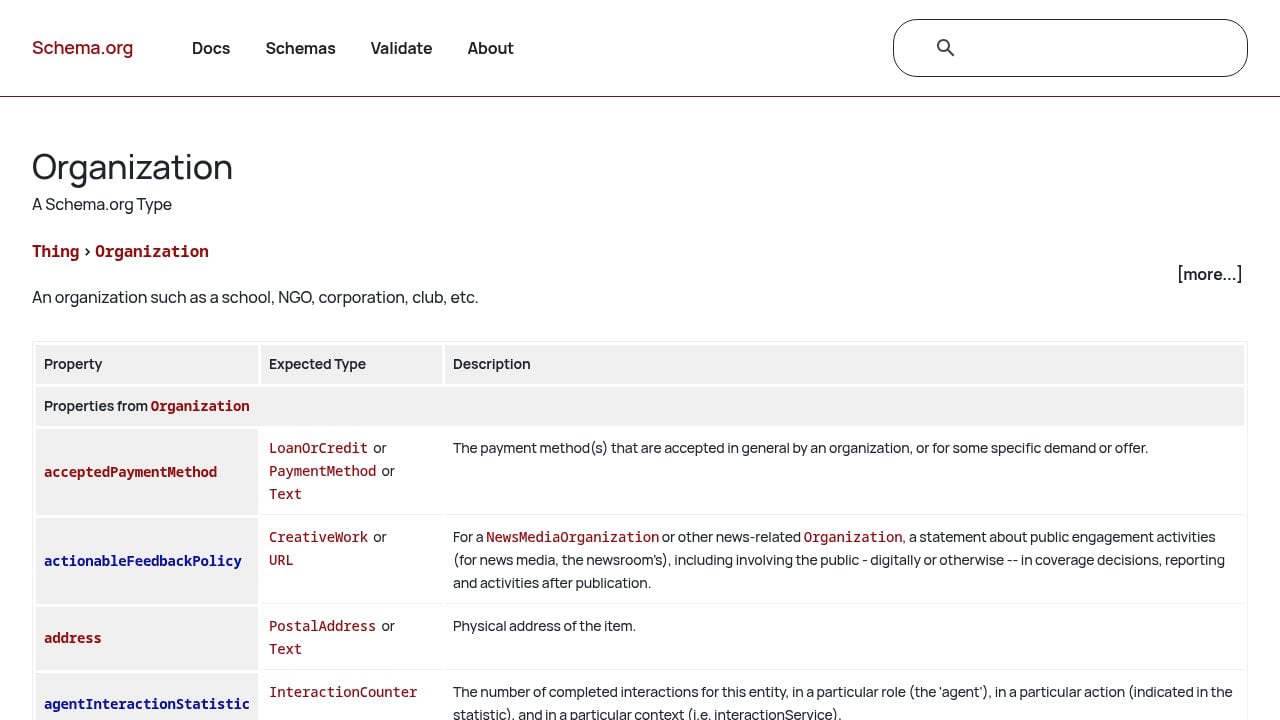
What happens if it’s missing: AI engines have to infer who you are from your page text alone. That means inconsistencies, hallucinations, and a lower probability of being cited confidently. Understanding how AI engines actually build recommendations makes it clear why schema is non-negotiable. If the AI isn’t sure about you, it won’t recommend you.
4. llms.txt: Speak Directly to AI Models
llms.txt is the newest addition to the AEO tech stack, and the one most B2B websites are still missing.
Think of it as robots.txt for large language models. It’s a plain-text file that lives at your domain root. It tells AI models exactly what your site contains, what your best content is, and where to find it. No parsing required. No inference. You’re handing the AI a curated summary in a format it can read directly.
The format is simple Markdown. A basic llms.txt for a B2B company looks like this:
Why this matters right now
llms.txt is still an emerging standard, not a universal requirement. But adoption is growing fast. AI crawlers that support it get a clean, unambiguous signal about who you are and what you offer. That reduces hallucination risk and increases the likelihood of accurate, confident citations.
The cost of adding it is about 15 minutes. The upside is a cleaner signal to every AI engine that supports it.
What happens if it’s missing: AI models piece together your identity from whatever they can scrape. Sometimes they get it right. Often they don’t. A missing llms.txt is a missed opportunity to control the narrative before the AI forms one on its own.
These Four Files Won’t Get You Recommended on Their Own
But without them, nothing else will work.
Content strategy, citation building, authority campaigns: all of it depends on AI crawlers being able to find your site, understand who you are, and trust what they find. The AEO tech stack is the prerequisite.
Here’s the full picture at a glance:
File | What it does | Time to implement |
|---|---|---|
| Maps your site for crawlers | 10-20 min (most CMS auto-generates) |
| Grants AI crawlers access | 10 min |
Organization schema | Identifies your business to AI | 20-30 min |
| Gives AI a curated site brief | 15 min |
Start with a quick audit. Go to yourdomain.com/robots.txt and yourdomain.com/sitemap.xml right now. Check whether GPTBot and Bingbot are explicitly allowed. Check whether your sitemap loads and lists your key pages. Then validate your schema at Google’s Rich Results Test.
If any of these are missing or misconfigured, that’s your answer for why AI engines aren’t recommending you.
Want to know exactly where you stand? We run a free AI Growth Audit that checks every layer of your AEO tech stack, tests your brand across ChatGPT, Perplexity, Claude, Gemini, and Grok, and shows you precisely what’s keeping you out of AI recommendations. Book yours at windgrove.ai.

AEO
Most founders who discover their company isn’t showing up in ChatGPT assume it’s a content problem. They think they need more blog posts, a PR push, or a stronger social presence. Sometimes that’s true. But more often, the issue is more fundamental: AI crawlers can’t properly read your site, don’t know who you are as an entity, or can’t extract a clean answer from your pages.
Content and citation work can’t move the needle on a technically broken foundation. This is the part most AEO conversations skip over. Before you write a single piece of AI-optimised content, your site needs to pass a basic infrastructure test.
Here are the 12 things we check in every audit, what breaking any one of them costs you in citations, and how to check where you stand today.
TL;DR
Before any content or citation work can move the needle, your site needs to be technically readable by LLMs. Most sites aren’t. The 12 infrastructure items below are what unlock AI citation. Check each one before you spend a dollar on content.
Why Technical Infrastructure Comes First
AI engines don’t browse your site the way a human does. They crawl it, parse structured signals, cross-reference your entity against third-party sources, and extract answers from your content. If any part of that chain is broken, your content never enters the citation pool, regardless of how good it is.
Think of it this way: you can write the most authoritative, well-structured answer to a target query. But if your robots.txt is blocking the crawler, or your canonical tags are pointing in the wrong direction, or your content has no author attribution, the LLM either can’t access it or doesn’t trust it enough to cite it.
The uncomfortable truth: most companies that are invisible in AI-generated answers have a technical problem, not a content problem.
The 12 items below fall into four categories:
Crawlability: Can AI systems actually access your site and the right pages on it?
Structured data: Have you told AI engines what your content is, who wrote it, and what organisation it belongs to?
Content readability: Is your content structured so that an LLM can extract a clean, citable answer?
Entity consistency: Does your brand present itself identically across every platform an AI engine might cross-reference?
Fix these before anything else. The content work compounds on top of a clean foundation. Without it, you’re building on sand.
The 12-Item Technical AEO Audit
1. robots.txt
What it is: The file that tells crawlers which pages they can and can’t access.
What breaking it costs you: If your robots.txt is blocking the crawlers that AI platforms use, your entire site is invisible to them. It doesn’t matter what’s on those pages.
How to audit it: Go to yourdomain.com/robots.txt. Look for any Disallow rules that might be blocking your key pages or entire directories. Specifically check whether you’re blocking any user-agents you don’t recognise. Many sites have legacy rules that made sense years ago and now block modern crawlers by accident.
What good looks like: Your key pages and content directories are fully accessible. You’re not running blanket Disallow rules without understanding what they’re blocking.
2. llms.txt
What it is: A newer file, analogous to robots.txt, but built specifically for LLM crawlers. It signals which content on your site is authoritative, citable, and intended for AI consumption.
What breaking it costs you: Without it, LLMs have no explicit signal about which of your pages to prioritise. They make their own inferences, which aren’t always correct.
How to audit it: Go to yourdomain.com/llms.txt. If you get a 404, you don’t have one. Most sites don’t.
What good looks like: The file exists, points to your most important pages and content, and is structured according to the llms.txt specification.
3. XML Sitemap Completeness
What it is: The map that tells search engines and AI crawlers which pages exist on your site.
What breaking it costs you: Pages missing from your sitemap are pages that LLMs may never discover. Even if those pages are technically accessible, they’re less likely to be crawled and indexed.
How to audit it: Go to yourdomain.com/sitemap.xml. Cross-reference the pages listed against the pages you actually want indexed. Look for missing blog posts, landing pages, or service pages. Also check that the sitemap is submitted in Google Search Console.
What good looks like: Every page you want cited is in the sitemap. The sitemap is current and has no broken URLs.
4. Canonical URL Resolution
What it is: Canonical tags tell crawlers which version of a URL is the “official” one when duplicates exist.
What breaking it costs you: www vs non-www conflicts, URL parameters, and canonical mismatches cause LLMs to treat your site as multiple separate entities. This splits your citation authority across versions of the same page and dilutes your overall signal.
How to audit it: Use a tool like Screaming Frog to crawl your site and flag canonical conflicts. Check that your www and non-www versions redirect to a single canonical. Look for pages where the canonical tag points somewhere unexpected.
What good looks like: One canonical version per page, consistently enforced. No conflicting signals across URL variants.
5. FAQ Schema
What it is: Structured data markup that labels individual question-and-answer pairs on your pages so AI engines can extract and cite them directly.
What breaking it costs you: Without FAQ schema, an LLM has to infer which part of your page answers a given query. With it, you’re handing the engine a pre-packaged answer it can pull verbatim. This is one of the highest-leverage schema types for AI citation.
How to audit it: Use Google’s Rich Results Test on your key pages. If FAQ schema is present and valid, it will show up. If not, it won’t.
What good looks like: Every page targeting a question-based query has valid FAQ schema. Each Q&A pair is self-contained, specific, and directly answers the question it’s paired with.
6. Organisation Schema
What it is: Structured data that tells AI engines who you are as a company: your name, URL, logo, contact information, social profiles, and founding details.
What breaking it costs you: Without it, LLMs are assembling a picture of your organisation from scattered signals. That picture is often incomplete or inconsistent, which reduces citation confidence.
How to audit it: Use Schema.org’s validator or Google’s Rich Results Test on your homepage. Check whether Organisation schema is present and whether it includes your name, URL, logo, and sameAs links to your social profiles and directories.
What good looks like: Valid Organisation schema on your homepage. All key fields populated. sameAs links pointing to your LinkedIn, Crunchbase, Google Business Profile, and any other authoritative directory listings.
7. Article Schema with Author Attribution
What it is: Structured data on your blog posts and articles that identifies the piece as an article, names the author, and includes the publication date.
What breaking it costs you: AI engines look for authorship signals when deciding whether to cite a piece of content. Anonymous content with no author attribution is treated as lower-trust. Content with a named author, credentials, and a publication date is treated as more citable.
How to audit it: Run your blog posts through Google’s Rich Results Test. Check whether Article schema is present. Look for the author field and the datePublished field specifically.
What good looks like: Every article has Article schema. The author field points to a real person with a bio page. datePublished is accurate and present.
8. H1 Direct Answers
What it is: The practice of placing a direct, concise answer to the page’s target question in the first 100 words of the content.
What breaking it costs you: LLMs look near the top of a page for extractable answers. If your content buries the answer 500 words in after a long introduction, the LLM either misses it or passes over your page in favour of one that answers the question immediately.
How to audit it: Open your key pages and read the first paragraph. Ask yourself: if someone searched for the query this page targets, is the answer clearly stated in the opening lines? Or does the page start with background, context, and scene-setting before getting to the point?
What good looks like: The first 100 words of every key page contain a direct, specific answer to the target query. No long wind-ups. No “In this article, we’ll explore…” openings.
9. Publication Dates on Content
What it is: Visible and schema-tagged publication dates on your articles and blog posts.
What breaking it costs you: AI engines use publication dates to assess content freshness and relevance. Undated content is treated as lower-confidence. For queries where recency matters, undated content often loses to dated content even when the quality is higher.
How to audit it: Go through your blog and check whether each post displays a publication date visibly on the page. Then verify that the datePublished field is present in the Article schema.
What good looks like: Every piece of content has a visible, accurate publication date. The same date appears in the Article schema. If you’ve updated a piece, the dateModified field is also present.
10. Internal Link Architecture
What it is: The network of links between your own pages that signals content relationships and helps crawlers navigate your site.
What breaking it costs you: A site with weak internal linking is a collection of isolated pages from an AI crawler’s perspective. LLMs use internal link patterns to understand which pages are most important and how topics relate to each other. Orphaned pages, or pages with no inbound internal links, are often invisible in practice even if they’re technically indexed.
How to audit it: Use Screaming Frog to map your internal link structure. Look for pages with zero or very few inbound internal links. Check whether your most important content pages are linked from multiple relevant locations across the site.
What good looks like: Key pages are linked from multiple relevant locations. Topic clusters are connected logically. No important pages are sitting as orphans.
11. Google Business Profile Consistency
What it is: Your Google Business Profile listing, which AI engines use as a primary signal for local and category-based queries.
What breaking it costs you: An incomplete, inconsistent, or unclaimed GBP means you’re invisible for category-level queries, not just location-specific ones. LLMs pull from GBP data when generating recommendations for “best [service type] in [city]” and similar queries.
How to audit it: Search for your business name in Google Maps. Check that the listing is claimed, that the business name matches exactly what’s on your website, that the description is accurate and complete, and that your hours, phone number, and URL are current.
What good looks like: Claimed, complete, and consistent. Business name, description, and contact details match your website exactly. Categories are accurate and specific.
12. Entity Alignment Across Directories
What it is: The consistency of your brand’s name, description, URL, and contact details across every platform an AI engine might cross-reference: LinkedIn, Crunchbase, Apple Maps, Bing Places, and any vertical-specific directories relevant to your industry.
What breaking it costs you: AI engines cross-reference your brand across the web before deciding how confidently to cite you. If LinkedIn says one thing, Crunchbase says another, and your website says a third, the LLM’s confidence in your entity drops. Inconsistency reads as unreliability.
How to audit it: Search your brand name across the major directories. Check that your business name is identical everywhere (not “Acme Inc.” in one place and “Acme” in another). Verify that your URL, description, and founding details are consistent.
What good looks like: Identical name, URL, and description across every listing. No outdated information sitting on platforms you forgot you signed up for three years ago.
How to Prioritise When You Find Problems
Most sites that go through this audit find issues in multiple areas. The question is where to start.
The answer depends on severity, but there’s a general order that makes sense for most sites:
Fix crawlability first. robots.txt, sitemap, and canonical issues are foundational. If crawlers can’t access your site or are getting confused about which URL is canonical, nothing else matters. These are also usually the fastest to fix.
Implement structured data next. Organisation schema, Article schema, and FAQ schema have the highest direct impact on citation probability. They’re the difference between an LLM having to guess what your content is about and being told explicitly.
Then address content readability. H1 direct answers and publication dates are content-level changes. They require going through your existing pages and reformatting. This takes time but compounds quickly once done.
Entity consistency is ongoing. Directory alignment isn’t a one-time fix. As you add new listings and update your business details, consistency needs to be maintained.
The single highest-impact fix for most sites: FAQ schema on key pages, combined with H1 direct answers in the opening paragraph. These two changes alone can move citation rates meaningfully for sites that previously had neither.
Frequently Asked Questions
Can I do a technical AEO audit myself?
Yes. Everything in this checklist is something a technically capable founder or developer can work through independently. The tools referenced here (Screaming Frog, Google’s Rich Results Test, Schema.org’s validator, Google Search Console) are all free or low-cost. The audit itself isn’t the hard part. The hard part is fixing everything you find, especially the structured data implementation, which requires adding and validating JSON-LD across your entire site. If you have a developer comfortable with schema markup, the technical fixes are manageable. If you don’t, the implementation phase is where most teams get stuck.
How long does it take to implement AEO technical fixes?
For a site with 50 to 200 pages, a thorough technical AEO implementation typically takes three to four weeks when done properly. Crawlability fixes (robots.txt, sitemap, canonicals) can be done in a day or two. Structured data implementation across all key pages is the most time-consuming part, particularly if your CMS doesn’t have native schema support. Entity alignment across directories can be done in parallel and usually takes a week of focused work. Plan for four weeks total if you’re doing this alongside other priorities.
Which technical AEO fix has the biggest impact?
FAQ schema, consistently. It’s the fix that most directly changes how AI engines interact with your content. When you add valid FAQ schema to a page, you’re giving LLMs a pre-packaged, extractable answer they can cite verbatim. Without it, they have to infer the answer from unstructured prose. That inference is less reliable and less likely to result in a citation. Pair FAQ schema with H1 direct answers in the opening paragraph and you’ve addressed the two most common reasons AI engines pass over otherwise good content.
We Handle All 12 of These in Month 1
This checklist is the foundation layer of every Windgrove engagement. Before we write a single piece of content or build a single citation, we go through all 12 of these items on your site. We fix what’s broken, implement what’s missing, and verify everything is working before the content engine starts.
Here is what that looks like in practice:
Week 1: robots.txt audit and rewrite, sitemap review, canonical conflict identification and resolution, llms.txt configuration.
Week 2: Organisation schema, Article schema, and FAQ schema implemented across your key pages. Rich Results Test validation on every page touched.
Week 3: H1 direct answer restructuring on existing content, publication date audit and correction, author attribution added to all articles.
Week 4: Google Business Profile optimisation, entity alignment across LinkedIn, Crunchbase, Apple Maps, Bing Places, and any vertical-specific directories. Internal link architecture review and gap-filling.
By the end of Month 1, your site is technically ready for AI citation. Month 2 is when the content work begins, and it compounds on a foundation that’s actually solid.
If you want to see what this looks like for your specific site, we’re happy to take a look. We’ll tell you exactly where you stand across all 12 items before any commitment.

AEO
During Cloudflare’s Agent Week in April 2026, their engineering team scanned the top 500,000 domains on the web and asked a simple question: are these sites ready for AI agents? The answer was blunt. Most are not. And the coverage that followed mostly missed the point, burying smaller site owners under a list of protocols they will never need.
This article cuts through that. If you run a content site, a blog, or a simple marketing website, here is what actually matters and what you can safely ignore.
Executive Summary
AI agents are already visiting your website, but 80% of what they receive is noise: CSS, JavaScript, navigation markup, and boilerplate your content never asked for.
Cloudflare’s research found that only 4% of sites declare AI usage preferences and just 3.9% support markdown delivery, the two changes with the clearest impact for content sites.
Most agent-readiness guides treat every website the same. They should not. Content sites need three things: better discoverability, cleaner content delivery, and deliberate crawl governance.
Implementing agent-readiness features without understanding the SEO implications is how you gain AI visibility and lose Google rankings at the same time.
Why Agent Readiness Is No Longer Optional
When an AI agent visits your site, it does not see what you see. It sends an HTTP request, receives a response, and tries to extract meaningful content from whatever comes back. On a typical modern website, that response is mostly structural debris: navigation menus, JavaScript bundles, cookie consent banners, footer links, and CSS that exists purely to make things look good for humans.
Cloudflare’s Agent Readiness research measured this directly. Their finding: roughly 80% of a standard HTML response is irrelevant to an AI agent. The agent only wants the actual content. Everything else is token waste, and tokens cost money and time on the agent’s side.
This is not a niche problem. By early 2026, AI training crawlers alone accounted for nearly 50% of total web traffic. Coding assistants like Claude Code and OpenCode already send Accept: text/markdown headers with their requests, signalling that they prefer a cleaner format. Your site either responds usefully or it does not.
What it means for you: Your website has an AI audience right now, whether you have optimised for it or not. The question is not whether to act. It is which actions are worth your time.
Not Every Standard Applies to Your Site
The most important thing Cloudflare’s research confirmed is something the broader coverage glossed over: different site types need different standards. A content site and an API-first product have almost nothing in common from an agent’s perspective.
For a blog, publisher site, or marketing website, an agent has one job: find your pages, understand what they cover, and extract the content efficiently. There is no API to authenticate against, no MCP server to discover, no commerce layer to negotiate with.
The table below maps which standards actually apply to each site type.
Standard | Content Site | API-Heavy Product |
|---|---|---|
robots.txt + AI usage signals | Yes, high priority | Yes, high priority |
sitemap.xml | Yes, high priority | Yes, high priority |
llms.txt | Yes, useful | Useful for docs |
Markdown content negotiation | Yes, if stack supports it | Yes, if stack supports it |
API Catalog (RFC 9727) | No | Yes |
OAuth / auth discovery | No | Yes |
MCP Server Card | No | Yes, if you have an MCP server |
Commerce / payment protocols | No | Only if you sell access programmatically |
A content site that scores poorly on API Catalog and MCP checks is not failing. It is being evaluated by the wrong criteria.
What it means for you: If you run a content site, you can ignore the bottom four rows of that table entirely. That eliminates roughly half the “agent readiness” checklist most guides push on you.
The Three Changes That Actually Move the Needle
Cloudflare’s scan found that 78% of sites already have a robots.txt file. But the vast majority were written for traditional search crawlers, not AI agents. Only 4% declare any AI usage preferences. Just 3.9% support markdown content negotiation. The gap between “technically has a robots.txt” and “is actually agent ready” is where most smaller sites are sitting.
Here is where to focus first.
1. Fix your discoverability layer
Before an agent can read your content, it has to find it. Three things govern this.
robots.txt audit: Many sites added blanket AI-blocking rules during the training data concerns of 2023 and 2024 and never revisited them. If you want AI search visibility, check whether you are accidentally blocking GPTBot, ClaudeBot, or PerplexityBot. Blanket blocks hurt AI citation potential without stopping the crawlers you actually want to keep out.
sitemap.xml health: Agents use sitemaps the same way Google does: as a shortcut to find your pages without parsing every link in your HTML. Make sure yours is current, submitted to Google Search Console, and includes your highest-value content.
Content signals: A newer robots.txt extension lets you declare AI usage preferences at a granular level. You can allow AI search while restricting AI training. Only 4% of sites use this today, which means early adopters have a clear first-mover window.
2. Make your content easier for agents to consume
Even when agents find your pages, Cloudflare’s markdown research shows they receive up to 80% token waste in a standard HTML response. Markdown delivery eliminates most of that. Fewer tokens means faster processing, lower cost on the agent’s side, and a higher chance your content gets read in full rather than truncated by context window limits.
Your two options:
llms.txt: A plain-text file at your site root that gives agents a structured reading list of your most important pages. Think of it as a sitemap written for an LLM. Low effort, no engineering required. Start here if you have limited dev resources.
Markdown content negotiation: Agents send an
Accept: text/markdownheader and your server (or CDN) converts HTML to markdown on the fly. More powerful, automatically stays current, but requires platform support or a developer to set up.
3. Add structured data to your key pages
AI agents and crawlers use schema markup to understand what a page is about without inferring it from prose. For content sites, the highest-value schema types are Article, FAQPage, HowTo, and Organization. Beyond schema, semantic heading structure matters: a page with a clear H1, logical H2 sections, and concise opening paragraphs is dramatically easier for an agent to extract and cite accurately.
What it means for you: These three changes improve both SEO and agent readiness simultaneously. None of them require you to build anything new. They work with your existing content and architecture.
Where Agent Readiness Can Hurt SEO If You Do It Badly
This is the section most guides skip entirely. And it is the one that costs teams the most.
Agent readiness is an early-stage practice. Some of the standards being discussed today are less than a year old. Some will not survive. In the rush to implement everything, teams are making changes that improve their agent readiness score while quietly damaging their search performance. One participant at Cloudflare’s Agent Week put it plainly: sites implementing agentic features have seen measurable SEO penalties, gaining AI traffic while losing Google rankings.
The most common failure modes:
Unblocking AI crawlers without thinking it through. If you added blanket blocks in 2023, reversing them carelessly can expose content you never intended to share. Be surgical, not sweeping.
Creating new public URLs without indexation controls. Some implementations generate separate markdown endpoints at new URLs. If those are publicly accessible and not excluded from your sitemap, search engines may index them as thin or duplicate content.
Serving different content to agents vs humans. Markdown content negotiation responds to a format request, not a user-agent check, so it is technically not cloaking. But if your markdown version strips sections, changes headings, or omits context that exists in the HTML version, you have a content equivalence problem. Both search engines and AI systems penalise inconsistency.
Burning crawl budget on unnecessary infrastructure. New files, new endpoints, and new discovery mechanisms all cost crawl budget. For smaller sites with limited crawl allocation, this can slow down how quickly Google discovers your actual content.
What it means for you: Implement one change at a time. Check your search performance after each one. The goal is a site that works for both audiences, not one that gains AI visibility at the expense of the rankings you already have.
What to Implement Now, Later, or Never
Use this framework to prioritise based on your site type and available resources. Every row has been filtered for content sites specifically.
Implement Now | Implement If Relevant | Ignore For Now |
|---|---|---|
robots.txt audit (AI crawler rules) | llms.txt (if you publish infrequently) | API Catalog (RFC 9727) |
sitemap.xml health check | Markdown content negotiation (if your platform supports it) | OAuth / auth discovery |
Semantic heading structure (H1, H2, H3) | Content signals in robots.txt | MCP Server Card |
JSON-LD schema (Article, FAQ, HowTo, Org) | Link headers for key resources | Web Bot Auth / signed bot identity |
Answer-first content formatting | llms-full.txt (for large content archives) | Commerce / payment protocols (X.402) |
Implement Now applies to virtually every content site regardless of size. These changes improve both SEO and agent readiness simultaneously, carry no meaningful risk, and require no new infrastructure.
Implement If Relevant depends on your publishing cadence, hosting platform, and engineering capacity. If you publish weekly, llms.txt will go stale fast. If your CDN supports markdown delivery with a toggle, turn it on.
Ignore For Now is not a permanent verdict. These standards matter for API products, developer tools, and transactional platforms. But if you run a content site, none of them apply to your architecture today.
What it means for you: The “Implement Now” column is your entire to-do list for the next 30 days. Everything else can wait until the standards mature.
Audit Your Site in 30 Minutes
The fastest baseline is Cloudflare’s Is It Agent Ready tool. Enter your URL, select your site type, and it runs 16 checks across discoverability, content, bot access control, and capabilities in about 30 seconds. Critically, it also lets you customise the scan by site type, so a content site is not penalised for missing an MCP Server Card it was never meant to have.
Once you have your score, work through this checklist before making any changes.
Discoverability
Open your robots.txt. Are you accidentally blocking GPTBot, ClaudeBot, or PerplexityBot where you want visibility?
Is your sitemap.xml current and submitted in Google Search Console?
Does your sitemap include your highest-value content pages?
Content
Do your top 10 pages have clear H1 headings, logical H2 structure, and concise opening paragraphs?
Do key pages have Article, FAQ, or HowTo schema? Check with Google’s Rich Results Test.
Is an llms.txt file worth adding given how often you publish?
Governance
Have you decided your AI usage stance: AI search allowed, AI training restricted, or both allowed?
If you have added any new agent-facing URLs or files, are they handled correctly in your crawl directives?
Pick one improvement from each category. Implement it. Re-test. Then expand. Agent readiness is not a one-time sprint.
What it means for you: A 30-minute audit gives you a clear, prioritised list of what to fix. Most content sites will find two or three quick wins that take less than an hour to implement.
Frequently Asked Questions
Do I need to implement every agent-readiness standard to see results?
No. For content sites, the standards that matter are robots.txt governance, sitemap health, structured data, and optionally llms.txt or markdown delivery. Standards like API Catalogs, MCP Server Cards, OAuth discovery, and commerce protocols are designed for API-first products and transactional platforms. Implementing them on a content site adds complexity without any meaningful benefit.
Will adding llms.txt improve my rankings in AI search engines?
Not directly, and not on its own. llms.txt helps agents navigate your site more efficiently, but it does not guarantee citation or ranking. What actually drives AI citation is the quality and clarity of your content: clear headings, concise paragraphs, structured data, and answer-first formatting that lets agents extract useful information without guessing. llms.txt is a useful complement to good content, not a substitute for it.
Can implementing agent-readiness features hurt my Google rankings?
Yes, if done carelessly. The most common risks are creating new public URLs for agent-facing content without proper indexation controls, serving meaningfully different content to agents versus humans, and burning crawl budget on infrastructure that Google has to process before it reaches your real pages. Implement changes one at a time and monitor your search performance after each one.
Is markdown content negotiation the same as cloaking?
Technically no. Cloaking means serving different content based on who is requesting it (typically by user-agent). Markdown content negotiation responds to a format preference declared in the HTTP Accept header, which is a standard web mechanism used for language negotiation and image format selection. The same content is served in a different format. That said, if your markdown version omits sections or changes the substance of your HTML version, you are creating a content equivalence problem that search engines and AI systems can both flag.
How do I know if AI agents are already visiting my site?
Check your server logs or analytics for known AI crawler user-agents: GPTBot (OpenAI), ClaudeBot (Anthropic), PerplexityBot, and OAI-SearchBot are the most common. Most analytics platforms do not filter these by default, so you may need to look at raw log data. Cloudflare’s dashboard also shows AI bot traffic if your site runs through their network. If you want to know how AI engines currently perceive and cite your brand specifically, Windgrove’s AI visibility audit gives you a structured read on that.

AEO
TL;DR SEO and AEO are not competing budget lines. SEO keeps you visible in traditional search. AEO makes you citable inside AI-generated answers from ChatGPT, Perplexity, Google AI Overviews, and Gemi

AEO
TL;DR In-house AEO requires a full content and technical team, a six-month minimum to show results, and ongoing investment in specialist tooling. It makes sense at scale. An AEO consultant gives you a

AEO
The truth is your buyers are using AI to shortlist vendors. They type a question into ChatGPT, Perplexity, or Google AI Overviews and get a confident, well-structured answer that names three or four c
AEO
Most businesses aren't showing up in ChatGPT because they've built their digital presence for Google, and Google and ChatGPT are fundamentally different engines with different credibility signals. The
AEO
Your next B2B customer is probably asking an AI right now which vendor to use. Not searching Google. Not scrolling LinkedIn. Asking ChatGPT, Perplexity, or Claude a question like: "What's the best CRM
AEO
Search has always been about getting found. For decades, that meant ranking on Google, earning clicks, and driving traffic to your website. But that model is changing faster than most businesses reali

AEO
TL;DR AI tools don't cite randomly. They pull from five specific signals: structured data, third-party validation, answer-formatted content, entity consistency, and funnel-stage coverage. Most SaaS co
AEO
Executive Summary AI answer engines do not discover brands by crawling random websites. They pull from a concentrated set of trusted publishers, directories, review platforms, and community forums tha

AEO
Executive Summary HowTo schema and Article schema send fundamentally different signals to AI engines. Applying the wrong one to your content is one of the most common and costly structured data mist
AEO
Executive SummaryChatGPT does not rank pages. It synthesizes answers. A product page built for Google keyword rankings will not automatically earn AI recommendations; it requires a different structur
AEO
Executive Summaryllms.txt is a plain-text file that lives at the root of your website and tells AI crawlers what your site is about, which pages matter, and how to read your content efficiently.As of

AEO
AEO is now a distinct buying category in Canadian search marketing. Not every agency offering it was built for it. This guide ranks 10 Canadian agencies by one criterion that most roundups ignore: whe
AEO
AEO competitor benchmarking is the process of systematically measuring how often your competitors appear in AI-generated answers, which queries they own, and what signals are driving their citations,

AEO
The AEO market in 2026 has a serious pretender problem. Traditional SEO agencies are rebranding overnight. New logos, new landing pages, same playbooks. For buyers trying to hire a genuine AI visibili

AEO
Most marketing teams shopping for an agency in 2026 are asking the wrong question. They ask, "Do you do AEO?" Both types of agencies say yes. The question that actually separates them is: "Was your en